
What our controller backup service covers
Controller backups are more than copying a few files to a memory stick. We check what your machine stores, how it is organised and which files matter most when a controller is replaced, reset or repaired. That usually includes machine parameters, tool offsets, work zero data, saved jobs, macros, calibration values and any custom screens or operator notes your team relies on. On some systems we also back up network folders or shared job libraries where the office and workshop pass files between each other.
For South African workshops, this matters because a small voltage event, failed drive, flat battery in the controller or a rushed power-down during load-shedding can wipe settings faster than people expect. If the machine is still cutting the same morning, that does not mean the data is safe. We help you keep a clean backup set so the machine can return to the same working state with less guesswork.
- Machine parameters and limits
- Tool tables and offsets
- Job files and nesting data
- Macros, homing values and custom cycles
- Operator notes and file structure
How we handle the backup process
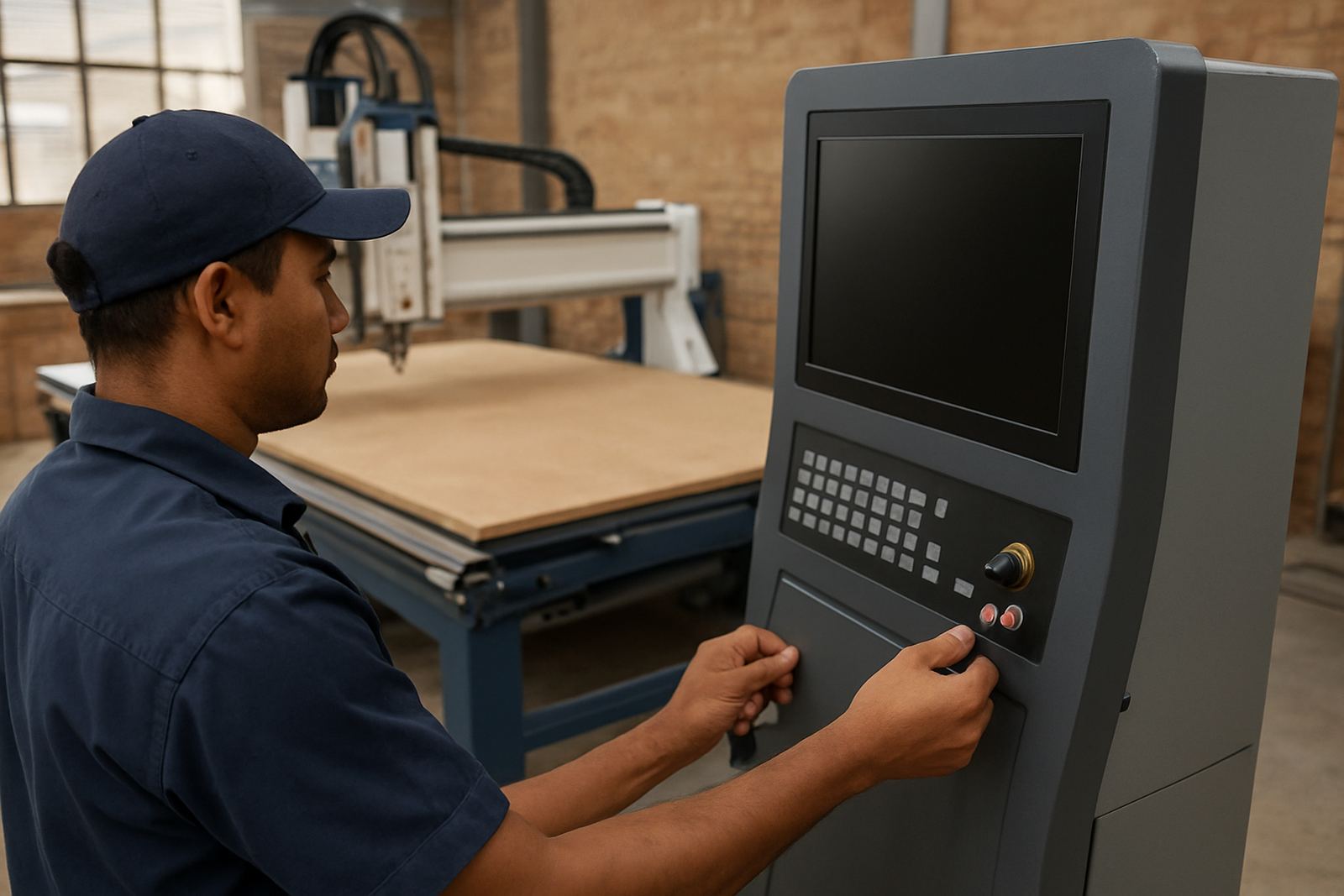
We keep the process practical and easy for the workshop team. First, the technical manager or service technician checks the controller type, memory location and available export method. Some systems save to removable media, some to internal memory, and some need a service port or network transfer. We then create a full backup set, label it properly and confirm that it can be read back before we leave the site. If needed, we also make a second copy for office storage.
Where a workshop runs multiple shifts, we can separate the backup into daily operator files and a deeper machine set that should only be changed by a supervisor. That helps avoid confusion when someone loads the wrong file after a tool break or restart. For teams with several routers, we keep the naming simple so each backup is easy to identify by machine number, controller version and date.
- Identify controller model and memory type
- Export or copy files in the correct format
- Check file integrity and read back access
- Label versions clearly for workshop use
- Store a second copy where required
Typical turnaround for local workshops
Most backup work is completed during a site visit if the controller is healthy and the files are accessible. A straightforward single machine backup can often be done in under two hours. If the system needs fault finding first, or if old files must be extracted from a damaged controller, the time can extend. Workshops in Germiston, Johannesburg East, Midrand and Pretoria East often ask for a morning callout so the machine is ready for afternoon production.
For sites outside Gauteng or where several machines must be copied, we plan the visit around production so operators are not left waiting. If the controller is already unstable, we recommend backing it up before any major repair or part change. Once a controller board fails completely, recovery options become limited and more costly.
In many cases we can also advise what to keep on-site and what to duplicate at the office. That is useful for companies with one router in production and another in reserve, or where job files are shared between design and the shop floor.
What affects the price
Pricing depends on the controller type, number of machines, file complexity and whether the backup is part of a wider service visit. A simple backup on one controller is priced differently from a full recovery job that includes checks, parameter review and operator handover. We keep the pricing approach clear before the visit so you know whether the job is a standard service call or something that needs extra time.
We also factor in travel for regional sites and whether there are access constraints such as shift work, restricted hours or a noisy production floor where the machine can only be stopped at certain times. If the controller uses older storage media, we may recommend replacing that media as part of the job. That adds a small cost, but it is cheaper than losing the last working file set.
- Single machine backup
- Multiple machine backup visit
- Backup plus parameter review
- Emergency recovery work
- Media replacement if needed
Backup intervals that make sense
We normally recommend a scheduled backup at least once a month for active production sites, and after any change to tooling, controller settings or software. If your router runs long nesting jobs daily, weekly backups are better. After a major tool change, spindle service, controller update or new operator training, a fresh copy should be made right away. In workshops with frequent load-shedding, UPS use or unstable supply, the interval should be shorter.
A good rule is to back up any time the machine has changed in a way that would be annoying to rebuild from memory. That includes home positions, vacuum zoning notes, tooling lengths, feed overrides and the file folders used by the operators. Keeping a dated archive means you can return to a known good state without asking three people what was last changed.
South African workshop support and on-site handover
Because many local workshops run in hot, dusty and sometimes coastal conditions, backups are only part of the picture. We also check that the controller panel is clean, the memory card or USB port is not damaged, and the machine team knows where the copies are stored. If a site has poor admin control, we can set up a simple naming system that works for operators and office staff alike.
MultiCAM supports installations and service work from the Germiston base across Johannesburg East, Midrand Service, Pretoria East, Durban North and Cape Town North. If you need the backup work folded into relocation, commissioning or preventive maintenance, we can do that in one visit so the machine spends less time idle. The aim is straightforward: protect the settings that keep the router productive, not just the files on screen.
Key facts
| Backup scope | Parameters, job files, tool offsets, macros and machine notes |
|---|---|
| File format handling | Controller-specific export, removable media or network transfer |
| Typical turnaround | Same visit for healthy controllers, under 2 hours for a single machine |
| Recommended interval | Monthly for active sites, weekly for high-use routers |
| Service areas | Germiston, Johannesburg East, Midrand, Pretoria East, Durban North, Cape Town North |
| Support fit | Entry routers through production cells and multi-machine workshops |